If you wish to update your running setup,
You will need only to update the EXE.
It is important to know there is difference between installing the new software setup and updating the old running the software setup with new updated features.
The method to reinstall the software has been explained above.
Reinstalling software is required only when you are changing or reinstalling your computer.
If your old OMR setup is running well on the computer and you simply want to use the updated version, then you will not need to download and run the entire setup.
You will need only to update the EXE.
Open the software and see the version of the program on the homepage of the software.
Download the latest updated EXE from
https://support.addmengroup.com/Login.aspx
Unzip and paste the extracted file into the C:/Addmen folder.
It will ask to replace the previously existing EXE.
So replace it. The previous OMR software should be kept close when you are replacing.
Now we see that all data and settings are still there because we did not run the fresh setup, that would replace with the blank data. Instead we just changed the program file which will look and behave differently while still using the same data and settings.
After replacing open the software, the new program will open up.
See the version of the program on the homepage of the software.
If it is changed, you have successfully updated.
Any report can be drawn as PDFs by pressing the CREATE PDF button. For example, if the graphical performance report has 50 pages and there are 5 pages per candidate in the report and you want to create pdf to send to top 3 candidates, then following values will be filled to create PDF: [Fig 6.4A]
Pages From=1; Pages to=15; Pages/PDF=5
This will generate 3 PDF files having 5 pages each for the first 3 candidates in the report. About PDF Merger
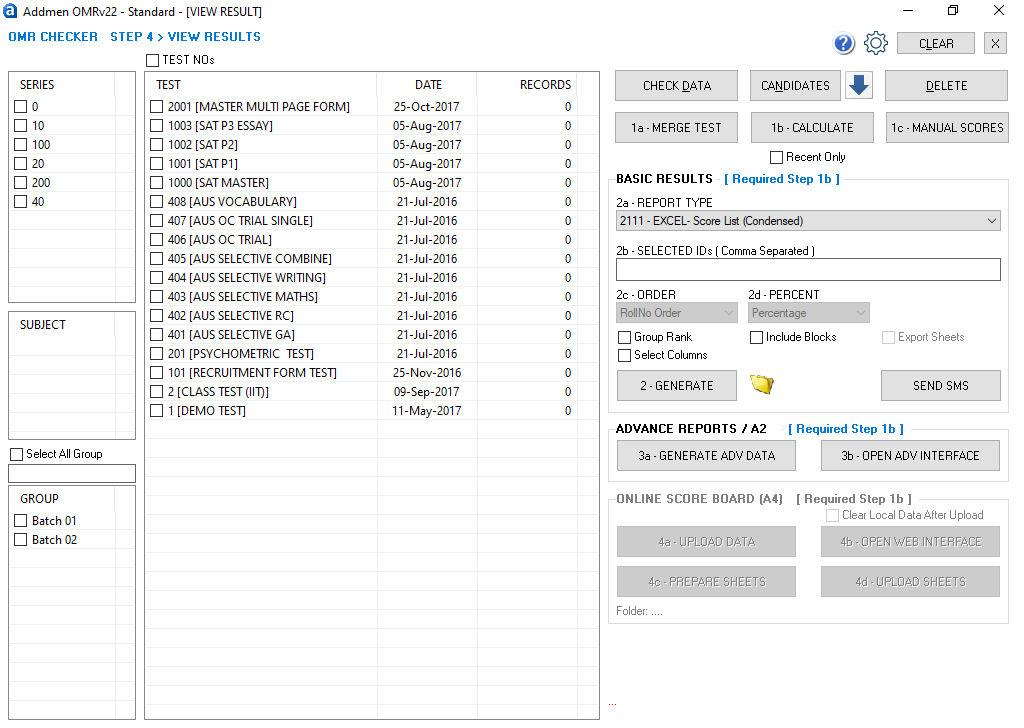
6.4A |
7. Preferences & Settings
Please Note: These settings explanation has been provided for understanding the scope & flexibility of software, please make sure users do not tamper with the settings unless they understand the complete meaning and implication of the same and unless they are guided by us to do so.